- Create a working directory e.g. week2 and download the source files from Canvas. Create a PyDev project for this week or use an existing one.
- Import files into the project
In the Package Explorer, make sure that the current working project is selected. Select the menu item File > Import....
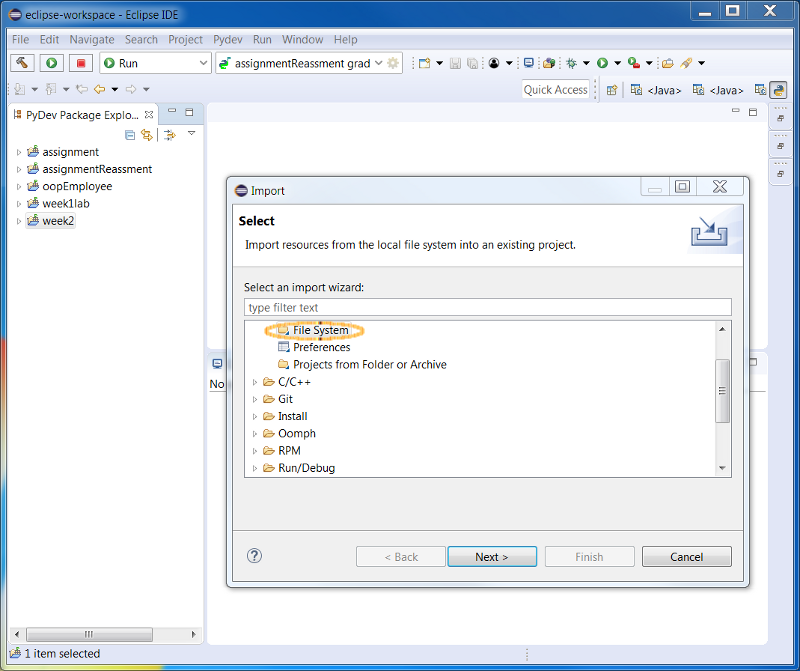 Select File system, then click Next.
In the Import wizard, specify the source directory and the target PyDev folder. Below the hierarchy list click Select All. You can expand and select elements within the working directory on the left pane to view the individual resources that you are importing on the right pane.
Select File system, then click Next.
In the Import wizard, specify the source directory and the target PyDev folder. Below the hierarchy list click Select All. You can expand and select elements within the working directory on the left pane to view the individual resources that you are importing on the right pane.
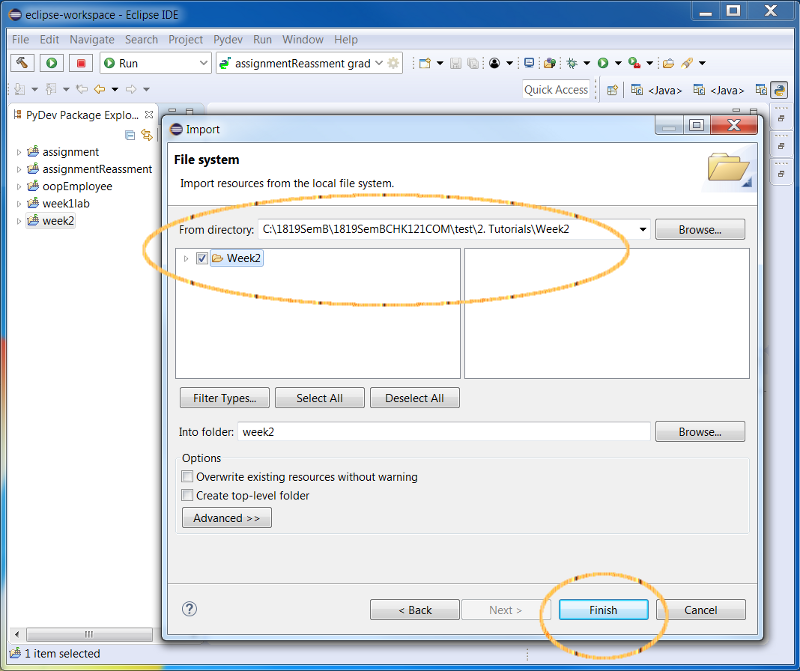 Click Finish to finish the import.
- Using the Editor
You can open any file in the project explorer by double clicking on it. Or create a new PyDev module i.e. File > New > PyDev Module. Notice the syntax highlighting. Different kinds of elements in the Python source are rendered in unique colors. Examples of Python source elements that are rendered differently are:
Multiple lines '''...''' comments
inline # comments
Keywords and String - Running a Python Module
In the Package Explorer view, find tester and double-click it to open it in the editor.
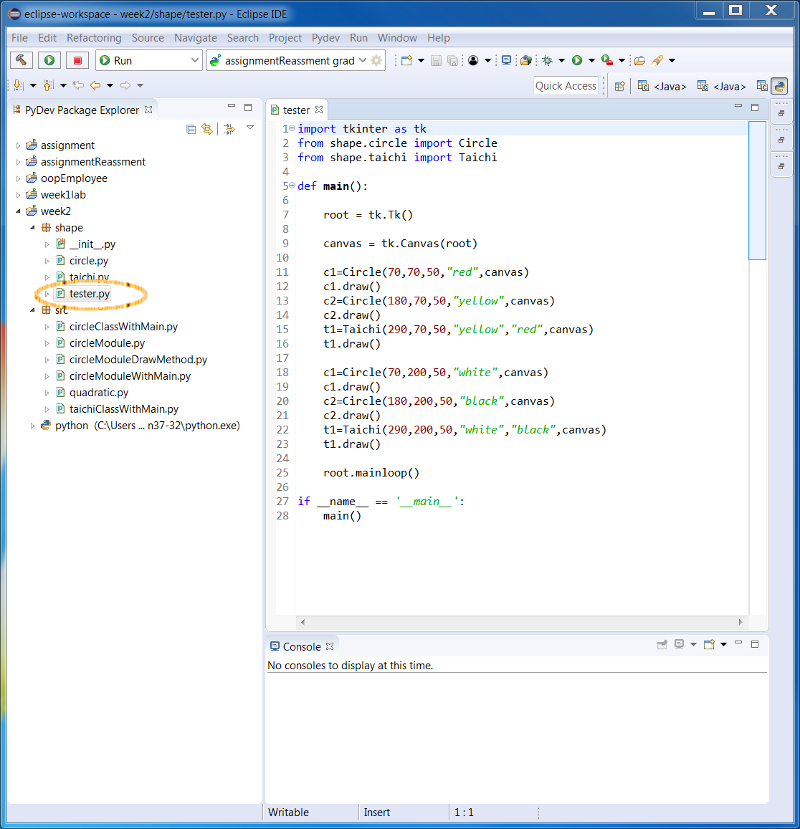
- Using the drop-down Run button in the toolbar, select Python Run from the cascading Run As menu. This will launch the Module in the active editor after prompting for saving files changed.
 Except the file "quadratic.py" which uses argument inputs, test run and study all programs under the "src" folder.
- Using arguments of main()
Select the programe which will make use of arguments as input i.e quadratic.py, select Run Configuration... under Run Menu
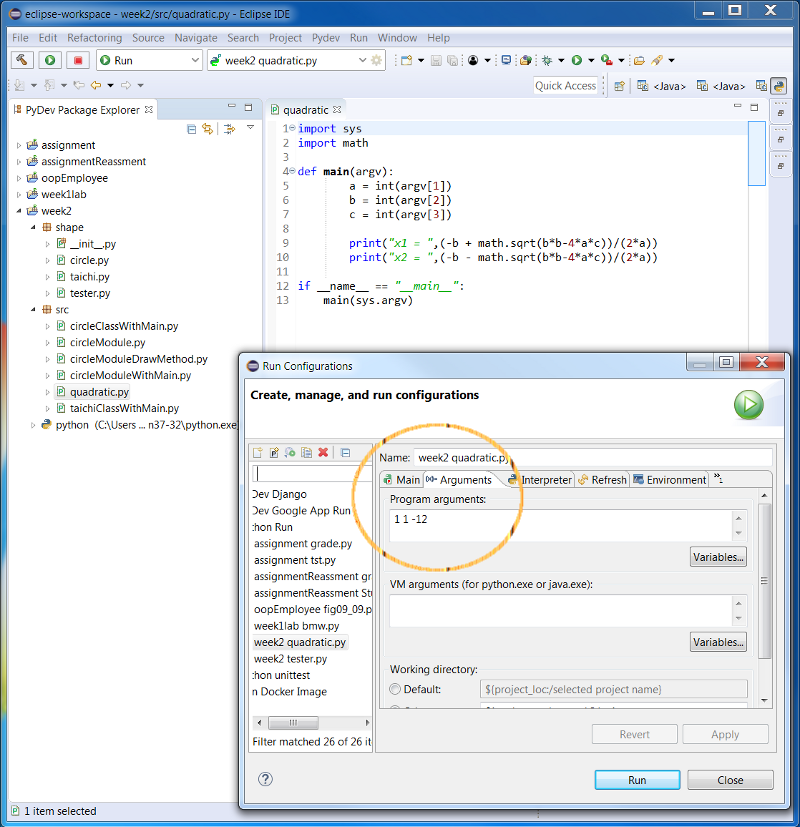
- Enter arguments for main() e.g. 1 1 -12 and click run; result of the simple quadratic equation solver program will be displayed in the bottom console.
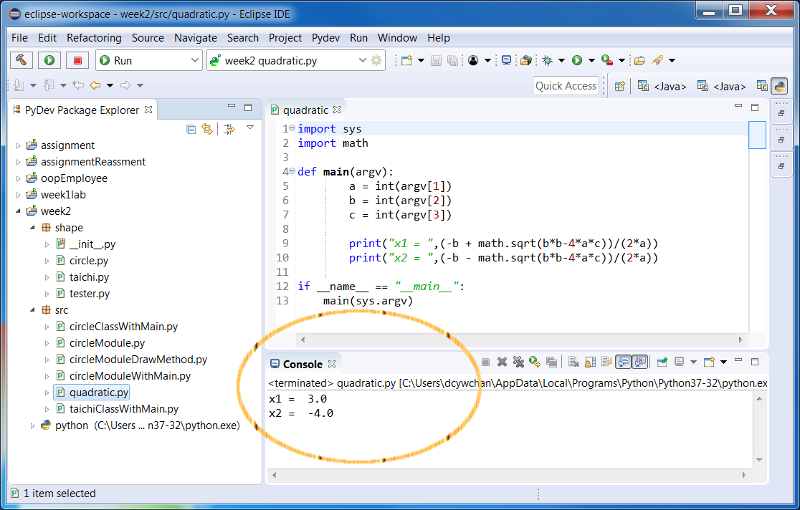
-
Install the XAMPP for Windows by Apache Friends
apachefriends.org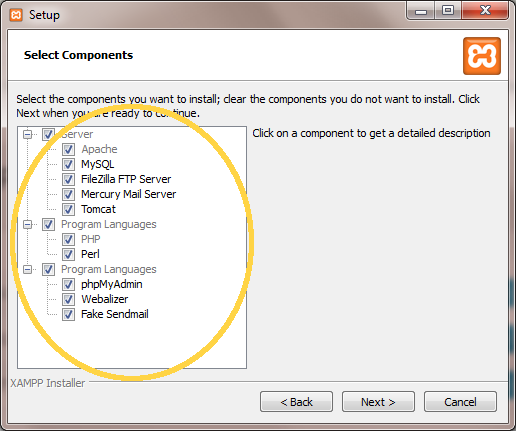
-
Find the XAMPP control panel from the Windows menu. Click it to start and you will see the below screen.
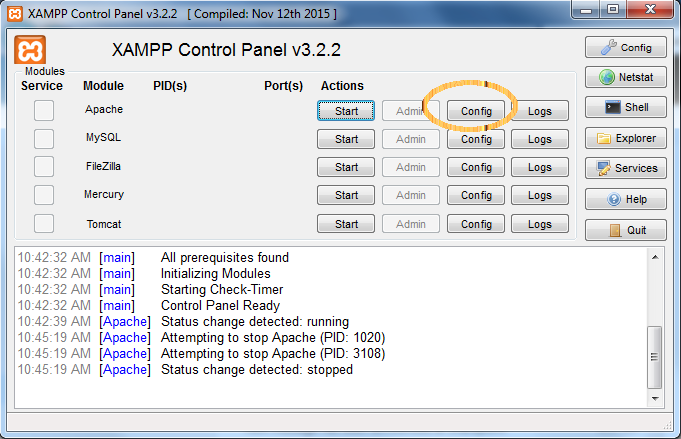
- Click the config button, Add .py to the "AddHandler cgi-script ..." line in the file "httpd.conf"
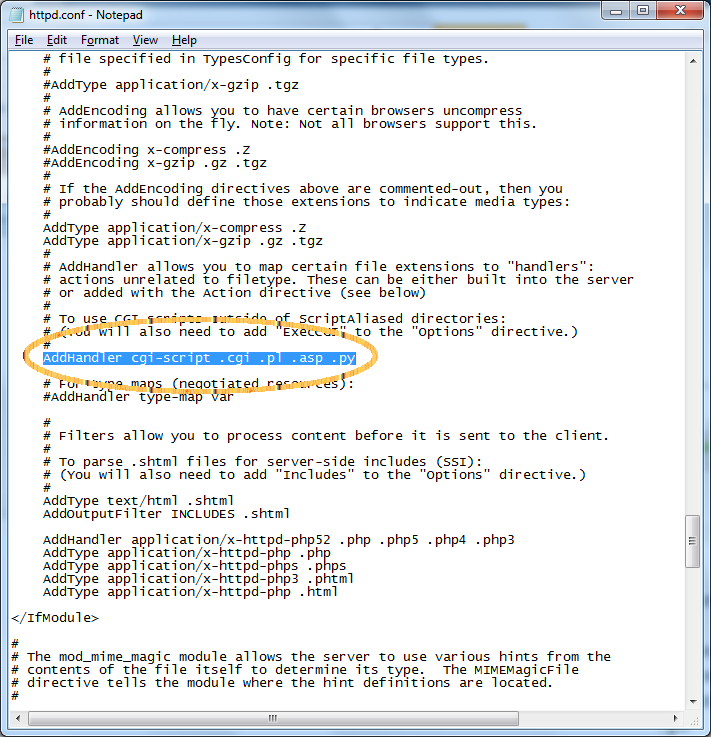
- save file and click the "start" button to start the Apache server
- Download the source files from week1 tutorial folder.
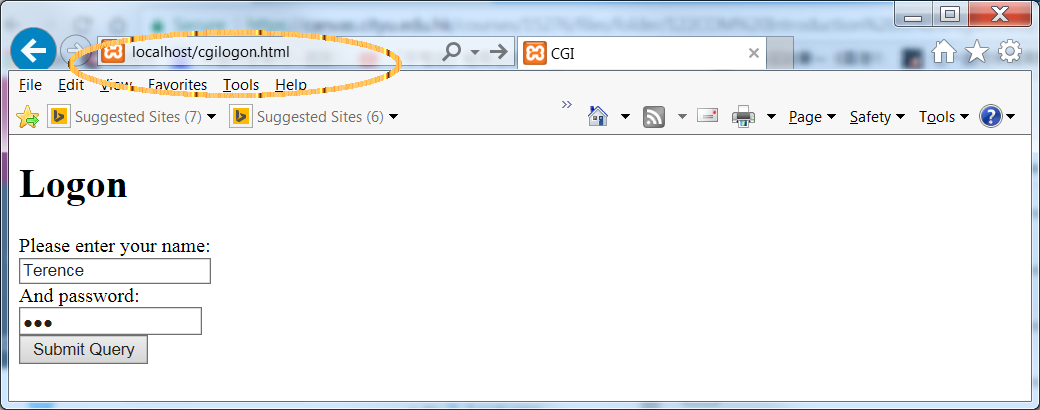
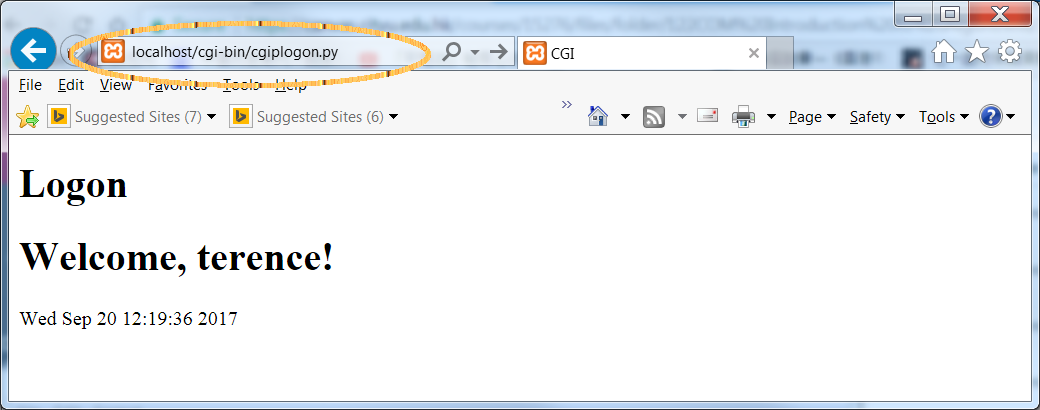
- Copy all "cgi*.py" to your "xampp/cgi-bin/" directory, copy "cgilogon.html" file to "xampp/htdocs/" directory
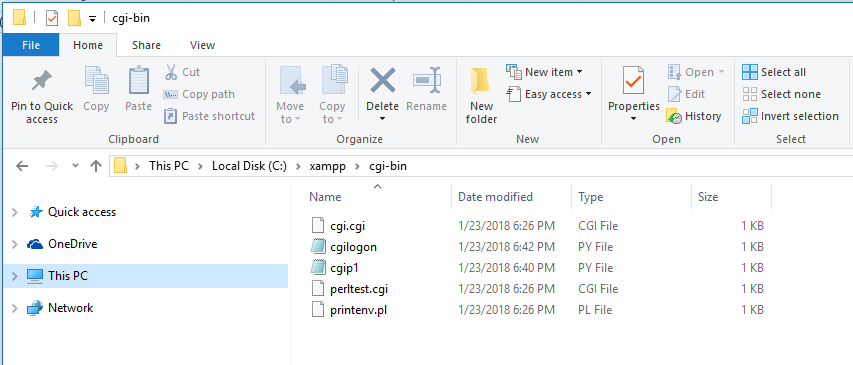
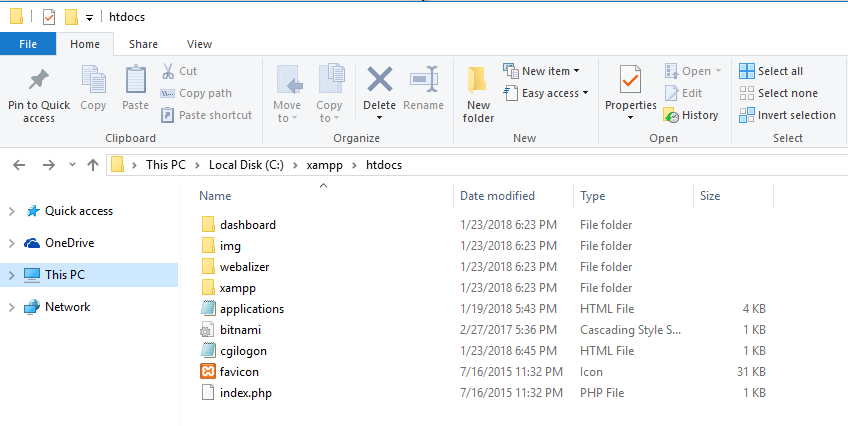
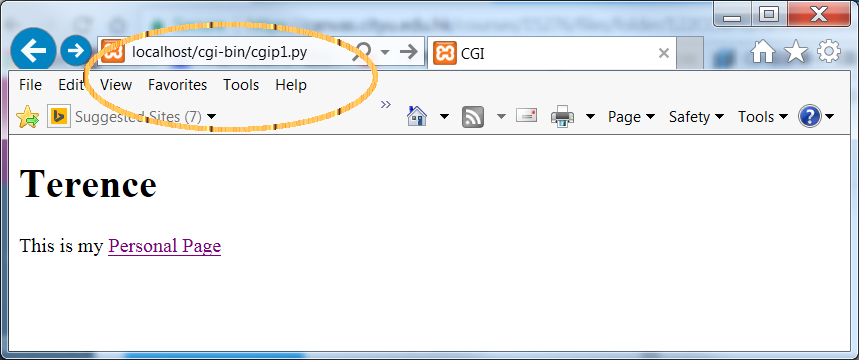
- Modify python location in first line of all "cgi*.py" file. Use IE to test all program.
- Create a working directory assignment, download asgn1student.zip from Assignment folder, gradeV0.py and Student121V0.py from Week 2 Tutorial folder. Extract and import all programs and data files into Eclipse.
- Test run "grade.py" and "gradeV0.py"
- Using reference from matplotlib.org
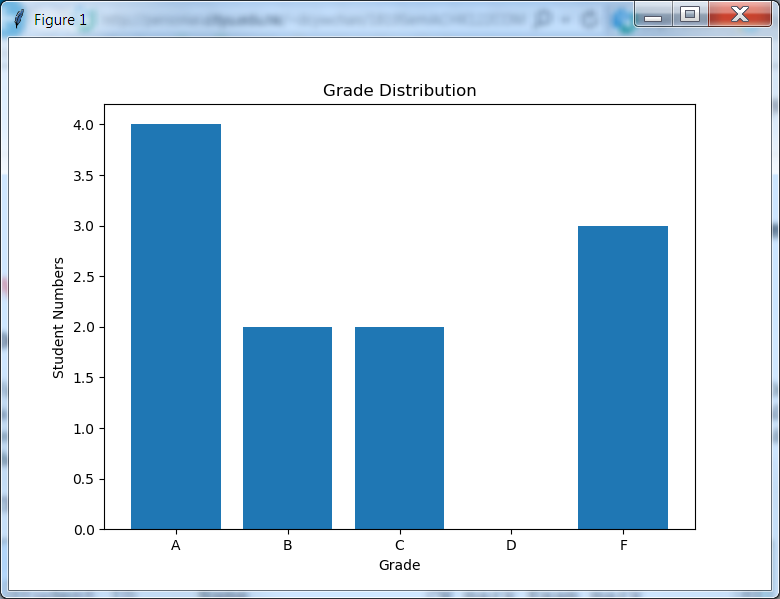
and examples from week 2 tutorial folder, modify gradeV0.py to print a list of students and produce a bar chart of grade distribution as follow.
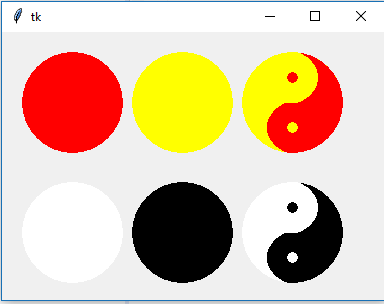
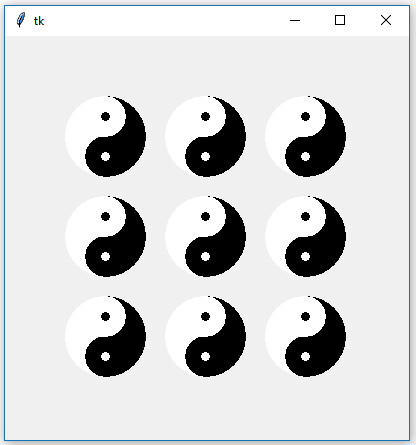
- Write a Python program to output nine Taichies as follow.
-
The basic loan has three parameters: the annual interest rate, monthly payment, and loan balance.
As an example, consider a $300 loan at 12% annual (i.e., 1% monthly) interest, which is being paid off at $100 per month.
After the first month, the balance is $200, but after interest, it increases to $202.
After the second month, the balance is $102, but after interest, it increases to $103.02.
After the third month, the balance is 3.02, which after interest increases to $3.05.
The remainder is paid off in the fourth month.Write a Python program that prompts for the three parameters and conveys this information in a nice table. You can assume the loan will be paid off in less than five months. For example:
	The loan amount is : 300
	The annual interest rate is: 12
	The monthly payment is: 100

		Starting            Middle              Ending
	Month	Balance   Payment   Balance   Interest  Balance
	-------------------------------------------------------
	1.	300.00	  100.00    200.00       2.00   202.00
	2.	202.00    100.00    102.00       1.02   103.02
	3.	103.02    100.00      3.02       0.03     3.05
	4.	  3.05      3.05      0.00       0.00     0.00
Run your program with the following 3 sets of sample data:1)300 12 100
2)1000 15 350
3)12345 33.25 3888.88 -
Write a Python program to implement a simple billing system for a company. Each line of the input data file for the billing system contains a name, address, transaction type, and amount of transaction separated by a "_". The transaction type is either C (for credit) or D (for debit).
The transaction amount is given in dollars and cents. If we assume each person's balance is initially zero,
that a credit reduces the balance, and a debit increases the balance, the computer program should produce a report,
ordered on name, giving the final balance in dollars and cents in each account. If a balance is exactly zero, then that person's balance should not appear in the report.
Example input:
Fred Chan_213 Yuen Long Avenue_D_41.03
Sue Wong_9102 Kowloon Circle_D_10.00
Fred Chan_213 Yuen Long Avenue_C_0.01
Baba Li_2000 E. 21st Street_D_450.00
Sue Wong_9102 Kowloon Circle_C_5.50
Jay Law_9103 Problem Area_C_25.00
Fred Chan_213 Yuen Long Avenue_C_41.02

Example output:
Name		Address	                Balance
----		-------	                ------
Baba Li         2000 E. 21st Street     450.00
Jay Law         9103 Problem Area       -25.00
Sue Wong        9102 Kowloon Circle       4.50
- modify "cgilogon.py" to display a link to your personal web page or any other page of your choice. Submit "cgilogon.py" after you finished.
- Change the simple billing application to run on a server, and display the customer table in the browser as below.
Customer Table
Name Address Balance Baba Li 2000 E. 21st Street 450.00 Jay Law 9103 Problem Area -25.00 Sue Wong 9102 Kowloon Circle 4.50