Lab 4
- Part 1 Git, GitHub, and EGit
-
- Create a PyDev project for this week and import all files from Weeks 5 and 6 Tutorial folder in Canvas.
- Finish the "Introduction to GitHub" lab to create your GitHub account and try some of the Git commands.
We will skip the branching, merging, and reverting part for now.
- Installing EGit in Eclipse
Under "Install New Software", enter "https://download.eclipse.org/egit/updates"
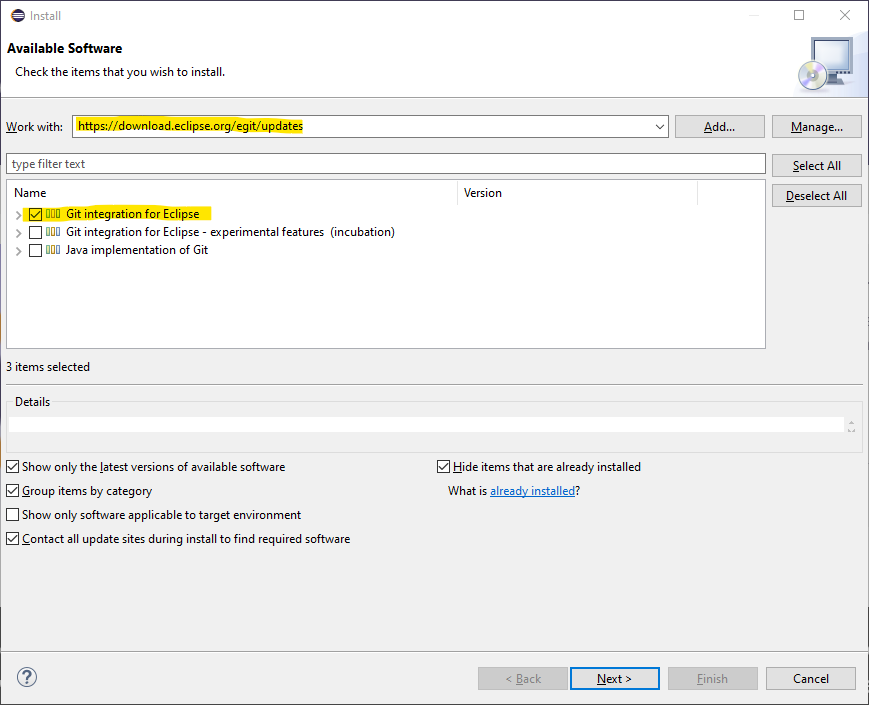 Select Git integration for Eclipse, then click Next to finish the installation.
- Initial configuration
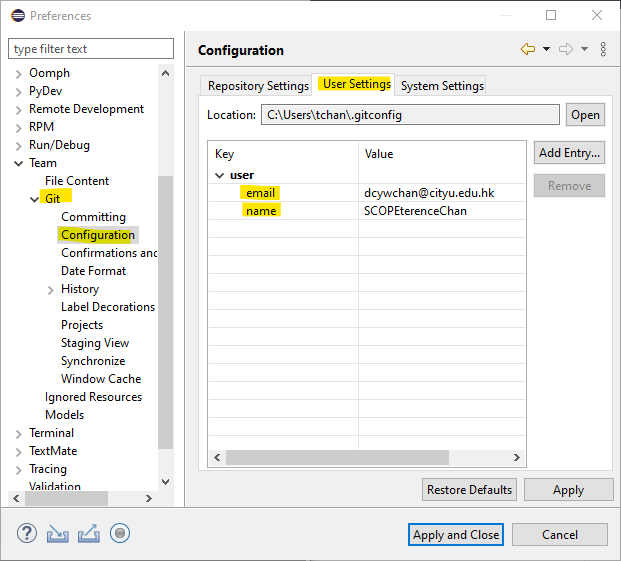
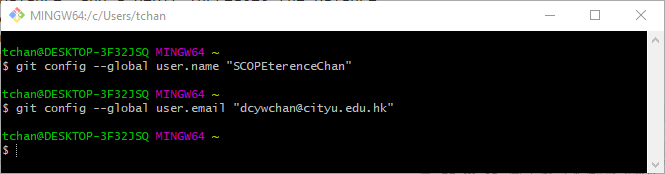 Select Window -> Preferences -> Team -> Git -> Configuration and hit the "New Entry..." Button,
enter user.name and user.email to configure the user
Select Window -> Preferences -> Team -> Git -> Configuration and hit the "New Entry..." Button,
enter user.name and user.email to configure the user
- Clone and Pull
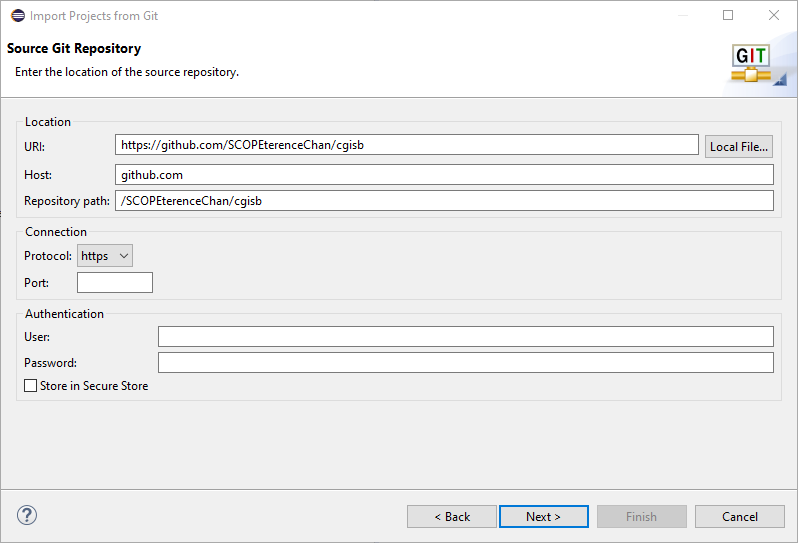
 Select File -> Import -> Git -> Project from Git(with smart import),
select "Clone URI" and enter "https://github.com/SCOPEterenceChan/cgisb" in URI field, select Master to continue the import
Select File -> Import -> Git -> Project from Git(with smart import),
select "Clone URI" and enter "https://github.com/SCOPEterenceChan/cgisb" in URI field, select Master to continue the import
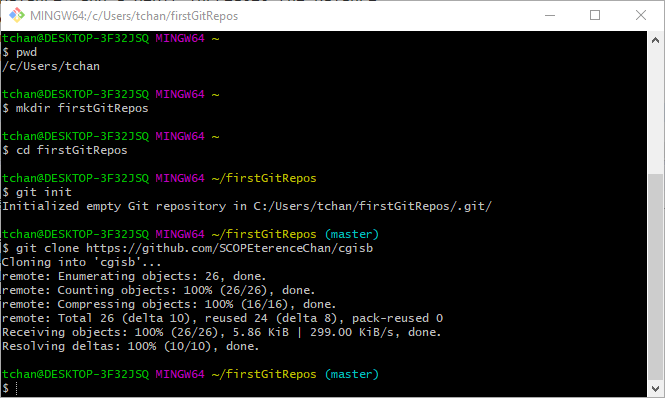
 Create a new directory for local destination
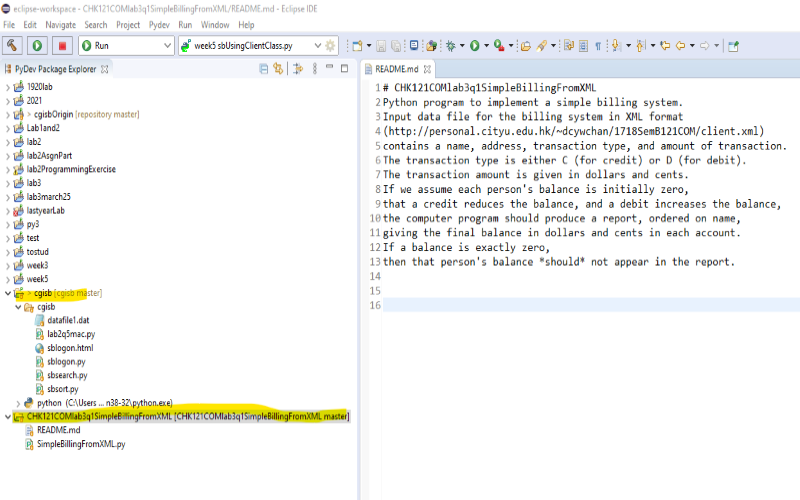
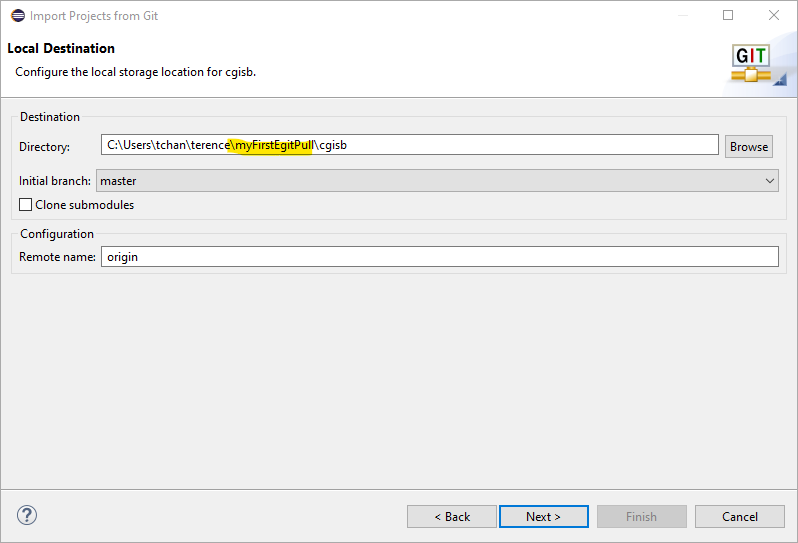 You might try to import the "CHK121COMlab3q1SimpleBillingFromXML" repository and compare the result.
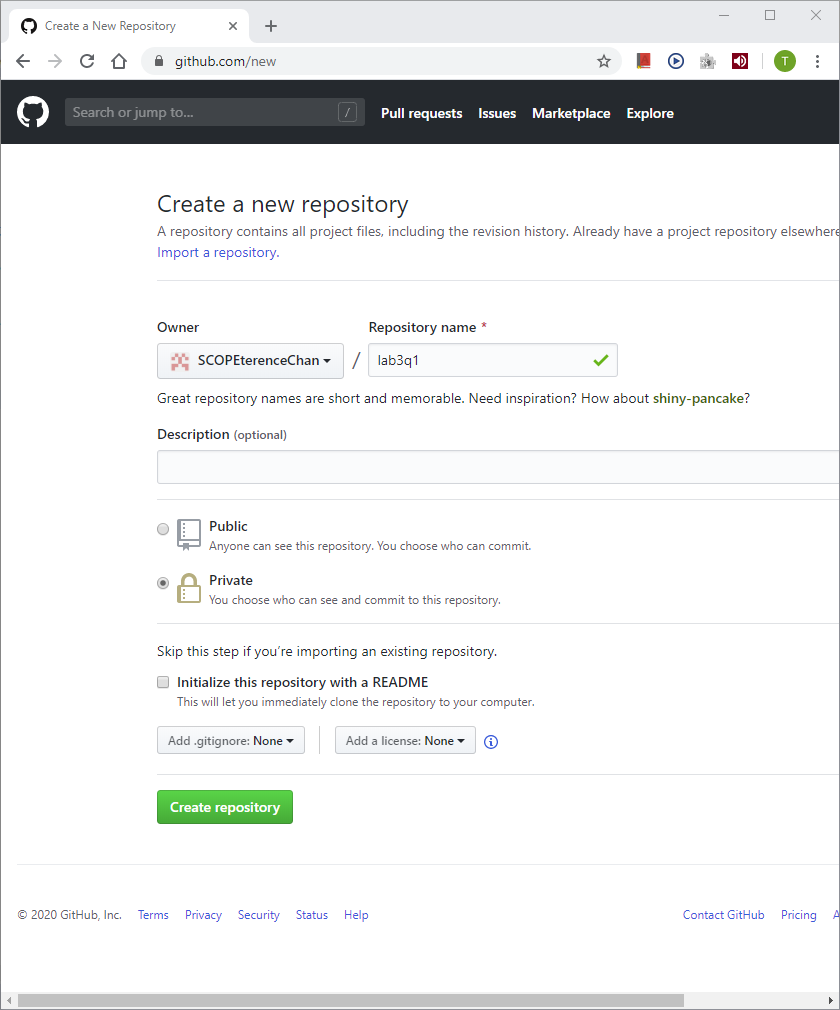
- Creating GitHub repository
A repository without README.md
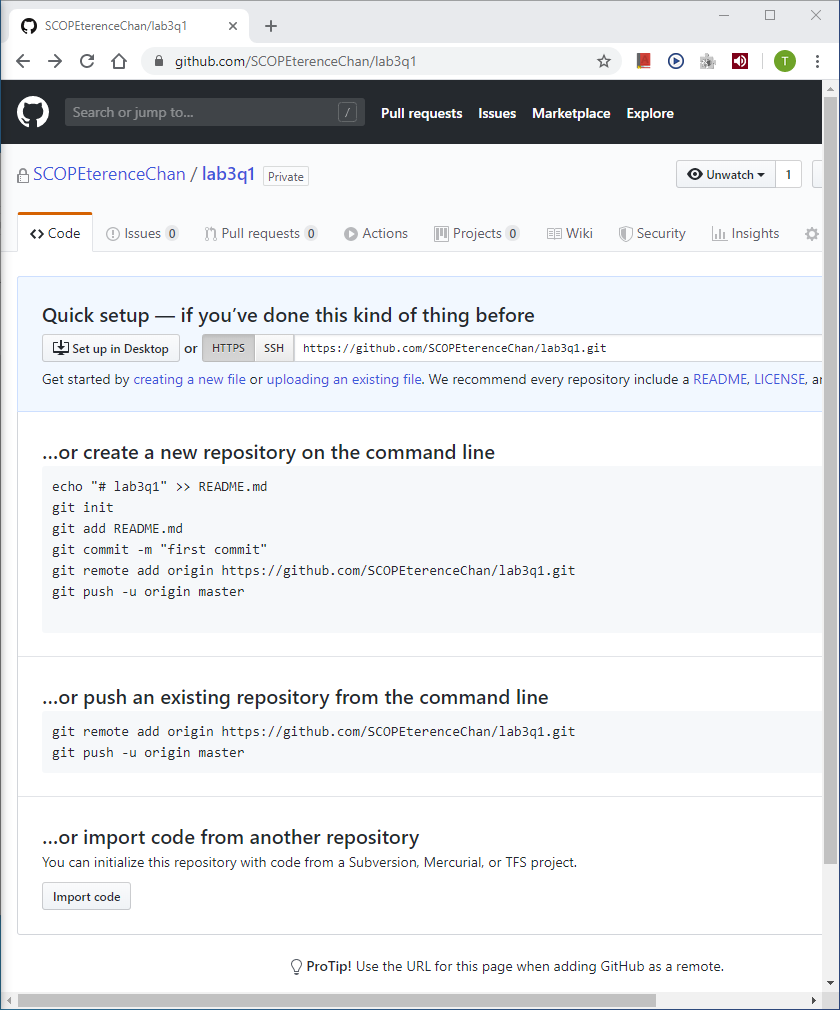
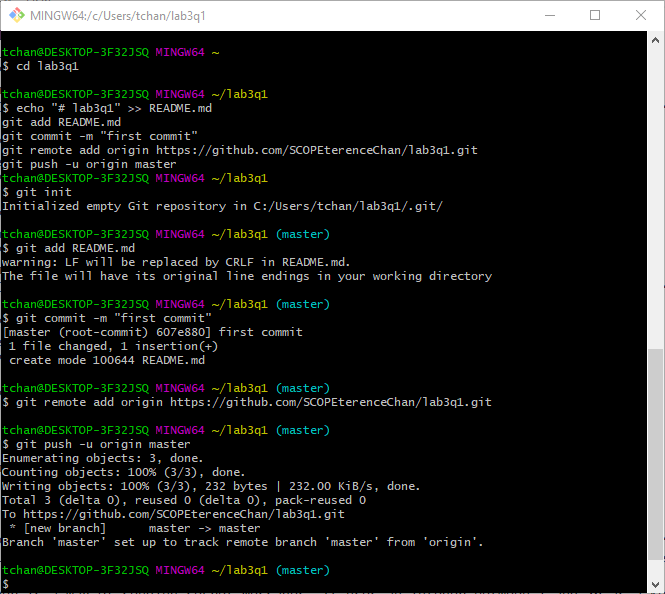
- Creating local repository and adding file
Commands to add "README.md"
 In Eclipse, after you have created your project i.e. "lab3q1", select and right clicking it, click Team -> Share Project to Create an Egit repository
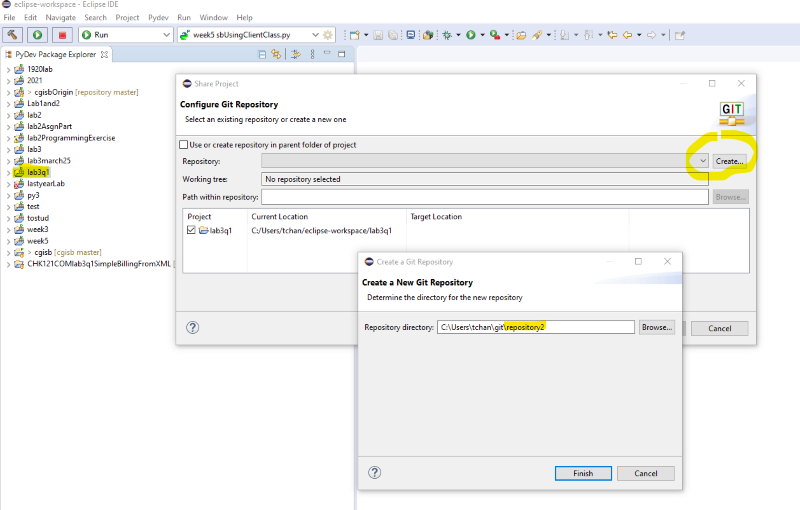
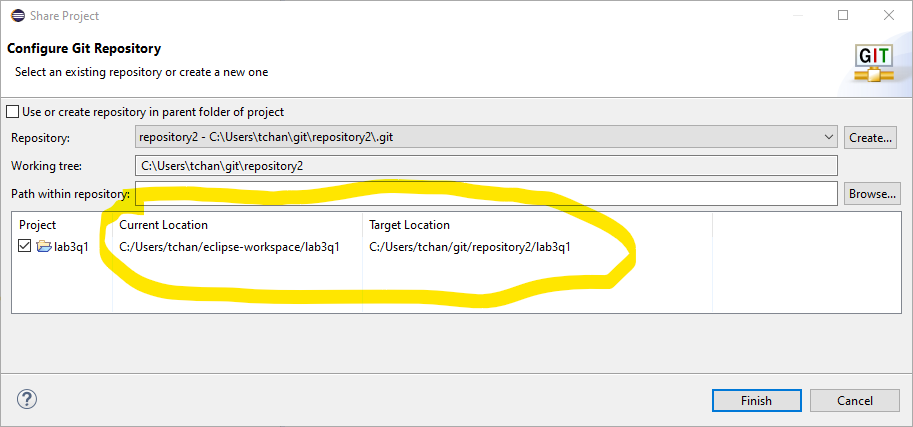 Note that creation of repositories in the Eclipse workspace is not recommended.
- Adding file, commit and push
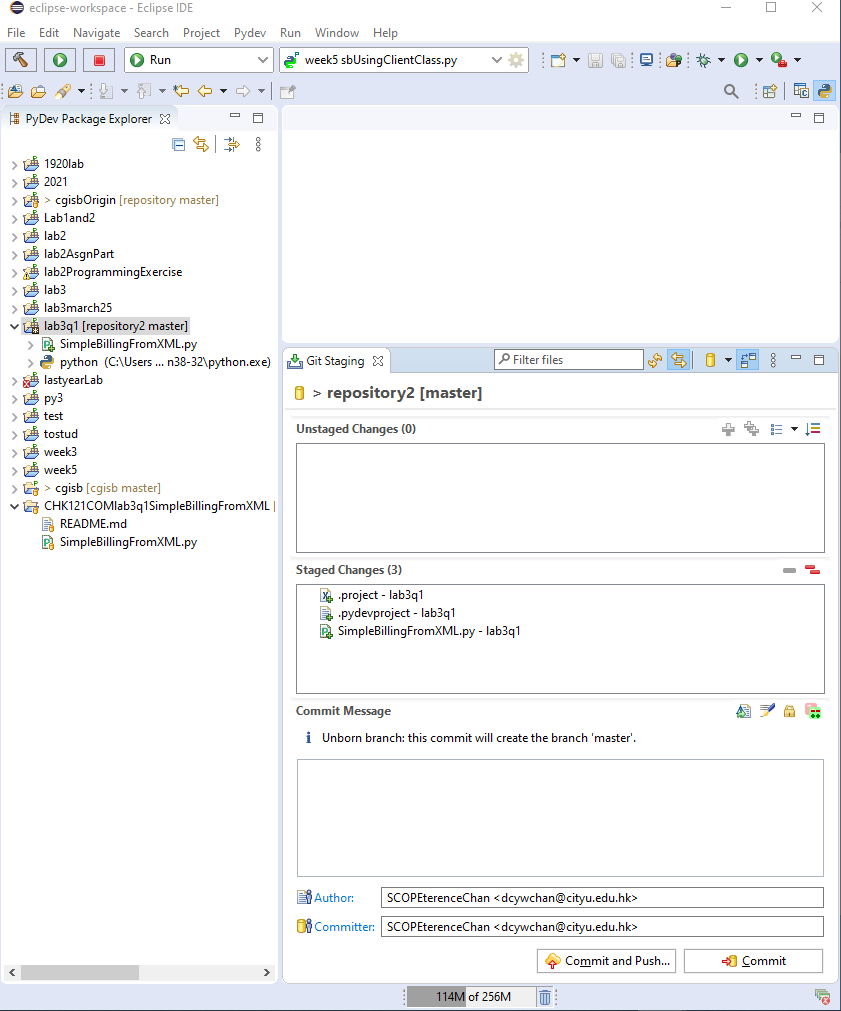
Copy or create programes for your project, note the change in project and programe icons. Select "Add to index" under Team menu will change "?" to "+".
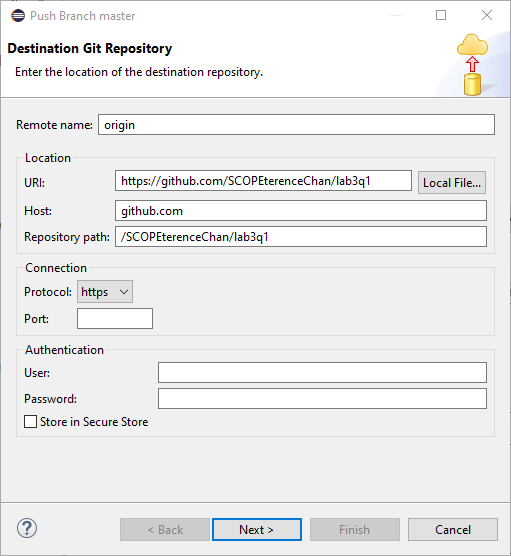
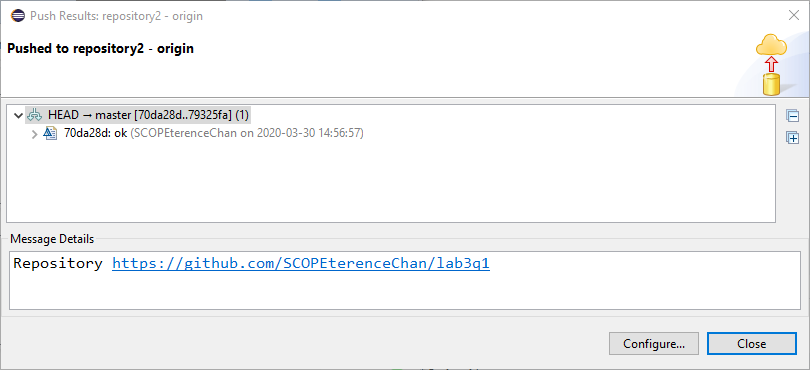
Click "Commit" to invoke the Git Staging Window, enter commit message and click "Commit and Push..."
 Enter remote Git URI
- Part 2 Individual Assignment
-
After dissecting all programmes of asssignment1 given so far, and sbUsingClientClass program in Week6 folder.
- modify constructor of "Client.py" to accepts one String arguments instead of numbers of data elements, rewrite "sbUsingClientClass.py" using the new Client class.
- modify "Student121V0.py" to complete all methods of Student121 class. Combine "grade.py", "gradeV0.py", and "gradeV1.py" to
create list of students and produce required output for each menu item.
- Part 3 Programming exercises. Answers
-
- Using functions included in "triangle" sctipts from lecture, write a a script which prompts user for three points of a triangle,
draws the triangle with area and points printed if the points are valid; otherwise, an error message should be printed.
- A Caesar Cipher is a way of sending secret messages. It uses an integer between 1 and 26 as a key.
Each letter in a message is moved forward by that many letters (with letters at the end of the alphabet going to the start).
For example, if the word is yellow and the key 3 then the message becomes bhoorz.
Write a script which when run first asks the user for an integer between 1 and 26 (the key).
It should allow the user to either encode a message or decode a message.
It should allow the user to try unlimited messages until they type exit.
Modify "sblogon.py" in Simple Billing Appplication to make use of the Cipher function in checking user password.
- In Python we calculate powers using the symbol **. In this question we consider how the Python interpretor may have
implemented this: do not use ** in your solution. The mathematical definition of taking a power is np = n*np - 1 for positive integer p.
Use this to create a recursive function power(n,p) which calculates np.
- A palindrome is a word (or any other sequence of symbols) which reads the same forward and backward, for example ada,abba,level, etc.
Write a recursive function isPalindrome(S) which returns a Boolean determining whether the string S is a palindrome.
You should make use of argument in main() to test your function.
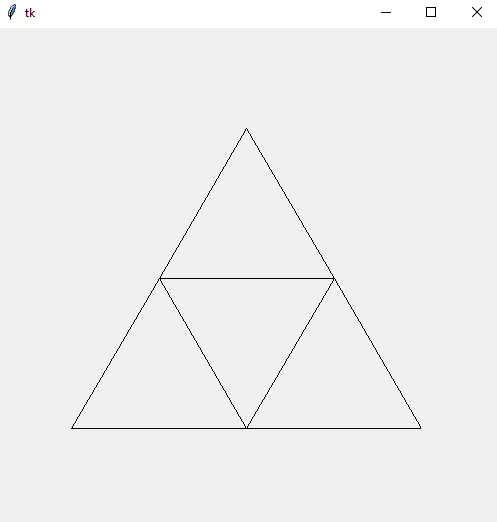
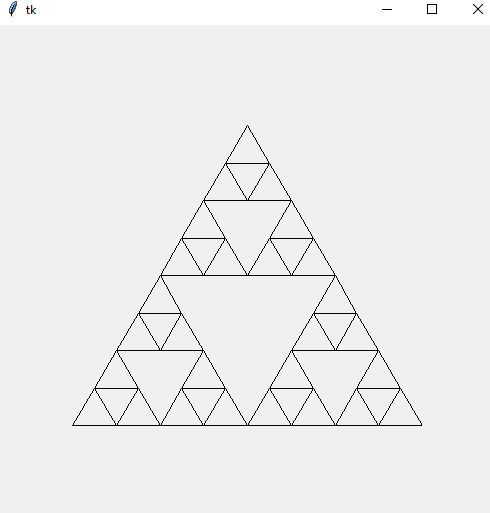
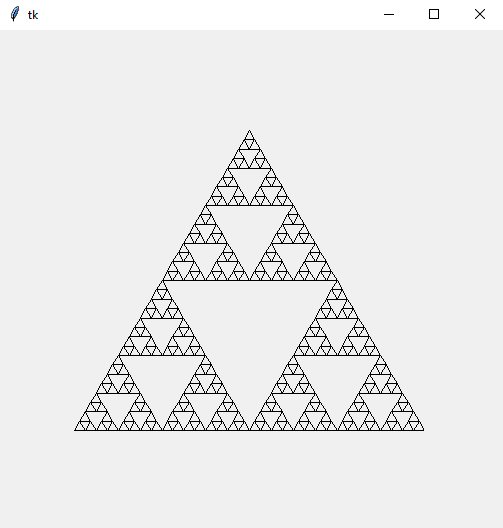
- A Sierpinski Triangle of order 0 is just an equilateral triangle (all sides the same length).
An order 1 Sierpinski Triangle is created by 3 smaller triangles coming together so their edges form the single larger one.
An order 2 Sierpinski Triangle repeats this process within the 3 smaller triangles. Examples of level 1, 3, and 5 Sierpinski Triangle are shown below.
Write Python code to draw the Sierpinski Triangle for a specified order.