Given the guiNotep25.py programe to solve a quadratic equation.
import sys
import math
import tkinter as tk

class Gui:
    def __init__(self, root):
        self.root = root
        self.root.geometry('300x400')

        self.label1 = tk.Label(self.root,text = 'a :')
        self.label1.place(x=5,y=5)
        self.entry1 = tk.Entry(self.root,width= 25)
        self.entry1.place(x=25, y=5)

        self.label2 = tk.Label(self.root,text = 'b :')
        self.label2.place(x = 5,y = 55)
        self.entry2 = tk.Entry(self.root,width= 25)
        self.entry2.place(x = 25, y = 55)

        self.label3 = tk.Label(self.root,text = 'c :')
        self.label3.place(x = 5, y = 105)
        self.entry3 = tk.Entry(self.root,width= 25)
        self.entry3.place(x = 25, y = 105)

        self.btn1 = tk.Button(self.root, text='Calculate', \
                              command=self.calulateRoot)
        self.btn1.place(x=5,y=155)

        self.text1 = tk.Text(self.root,width= 20, height=5)
        self.text1.place(x=25, y=200)

    def calulateRoot(self):

        a = int(self.entry1.get())
        b = int(self.entry2.get())
        c = int(self.entry3.get())

        x1=(-b+math.sqrt(b*b-4*a*c))/2*a
        x2=(-b-math.sqrt(b*b-4*a*c))/2*a

        self.text1.insert(tk.END,'x1 = '+str(x1)+'\n'+'x2 = '+str(x2))

def main():
    root = tk.Tk()
    Gui(root)
    root.mainloop()

if __name__ == '__main__':
    sys.exit(main())
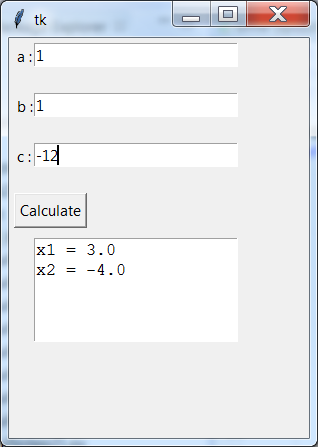 Rewrite the above program to add a Quit button to exit the program using the QuitButton class
in Week1 tutorial folder and exception handling using another Text component for the
display of error messages.
Rewrite the above program to add a Quit button to exit the program using the QuitButton class
in Week1 tutorial folder and exception handling using another Text component for the
display of error messages.
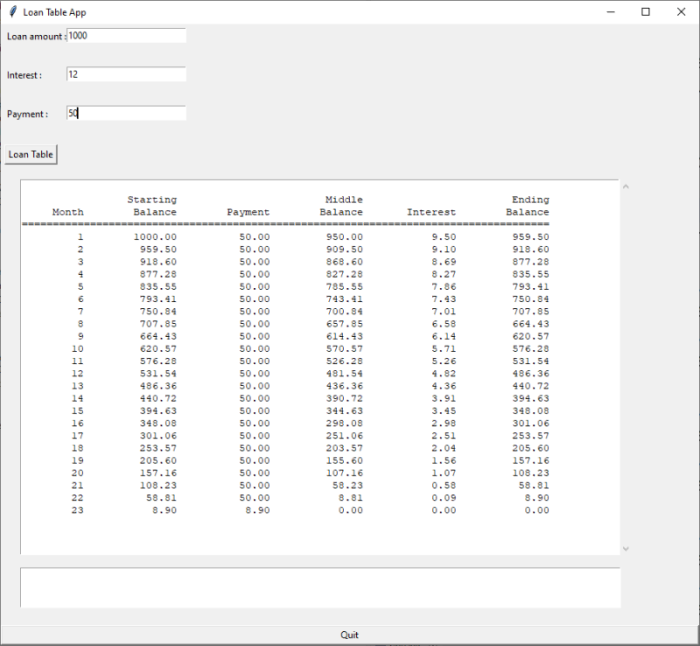
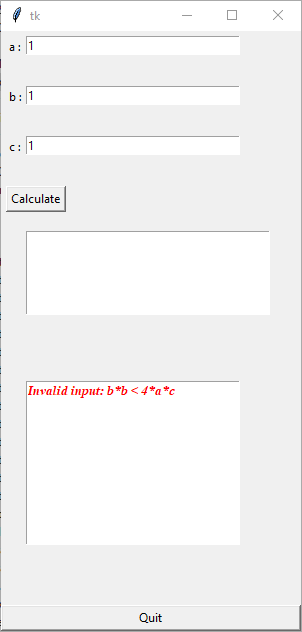 Draw the class diagram of your program completed.
 Example of invalid case:
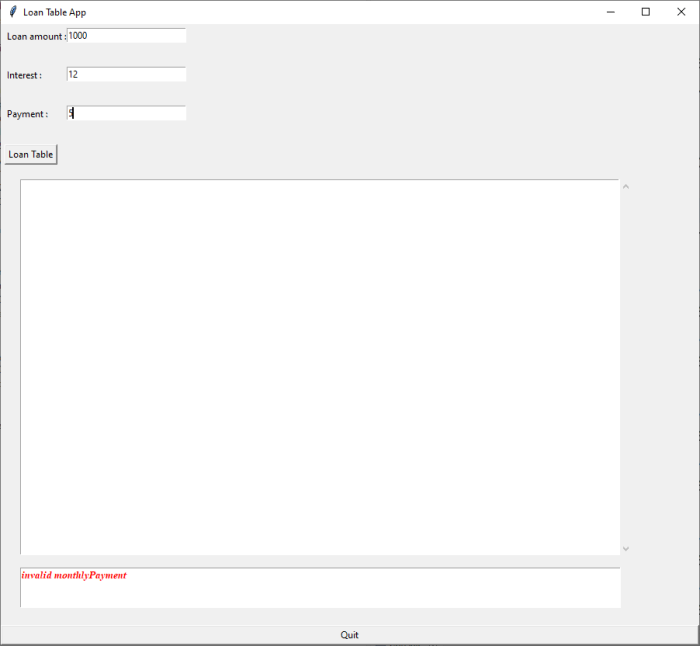 Draw the class diagram of your program completed.